

Midiocre: Free Online Chord Progression Builder
Download macOS (Mac App Store) Download macOS (.dmg) Download Windows (.exe) Open Web App Documentation
The Windows build isn't code-signed yet, so Windows SmartScreen will warn you on first run - click More info, then Run anyway. We're working on it.
Midiocre is a free, online chord progression builder and generator, a workbench for macOS and the browser. Generate and mangle chord progressions until something clicks, then export what you find as MIDI or audio. No AI, no generative graphs - just a small set of creative tools we sharpened until they started producing results worth keeping.
Midiocre in a nutshell
- It runs in the browser. Nothing to install, no account, nothing to sign up for. Open it and you’re working. Once it’s loaded it keeps working offline, and you can dock it like a normal app.
- You can type or paste chords as text, either
Cmaj7 F G AmorI IV V viif you think in numerals, and hear them back straight away. Good for progressions you found somewhere and want to actually listen to. - SHARE gives you one URL with the whole session inside it: chords, key, tempo, locks, voicings, your presets. Send it to someone and they hear the thing, rather than reading a chord chart of it. The music sits in the link itself, so there’s no server holding your work.
- The transforms are the part we spent the longest on. Bridge puts a connecting chord between two neighbours, Smooth finds the one that moves the least, Flip does negative harmony, Spin rolls another chord from the key, and Surprise goes outside it - but only to chords that still share a note with their neighbours, or step into place a semitone at a time. Once you know them, the chord you can hear in your head is usually a couple of presses away.
- Suggest Next offers chords that could plausibly come next and tells you what each one is: chromatic mediant, tritone sub, backdoor dominant, Phrygian half-cadence. It reads both sides of the gap, not only what came before it.
- No AI. It’s all music theory, and it shows you the theory as you go.
- Every card shows its roman numeral and what the chord is actually doing, so Tonic, or V/vi, or Borrowed iv. The detected key tracks what you wrote rather than what you set. You end up learning some harmony without meaning to.
- Lock a chord you like and hit Regenerate again, and everything else re-rolls around it. Or lock only the length, which keeps a rhythm you like and re-rolls the harmony over it.
- Nine voicings built in, and any card can have its own. Extract your own from a chord you arranged by hand and take them between machines.
- MIDI both ways: play external hardware, step-enter chords from a keyboard, or import a
.midfile. The importer reads block chords, so a strummed guitar chord arrives as one card and not six. Export as MIDI or WAV when you’re done. - It opens fast and there’s a keyboard shortcut for most things.
- It collects nothing. No accounts, no cookies, no analytics, and it makes no network requests of its own.
- Free.
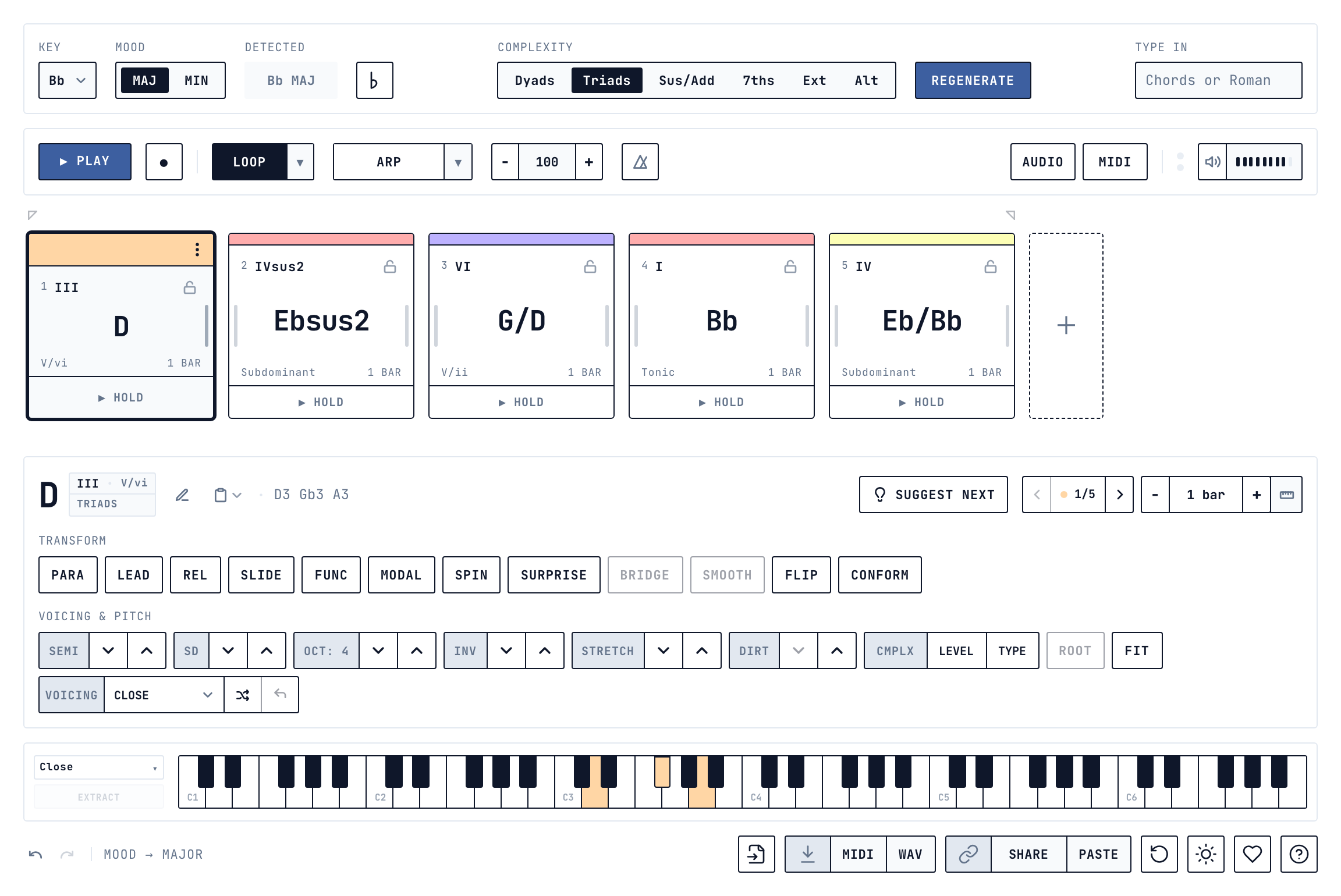
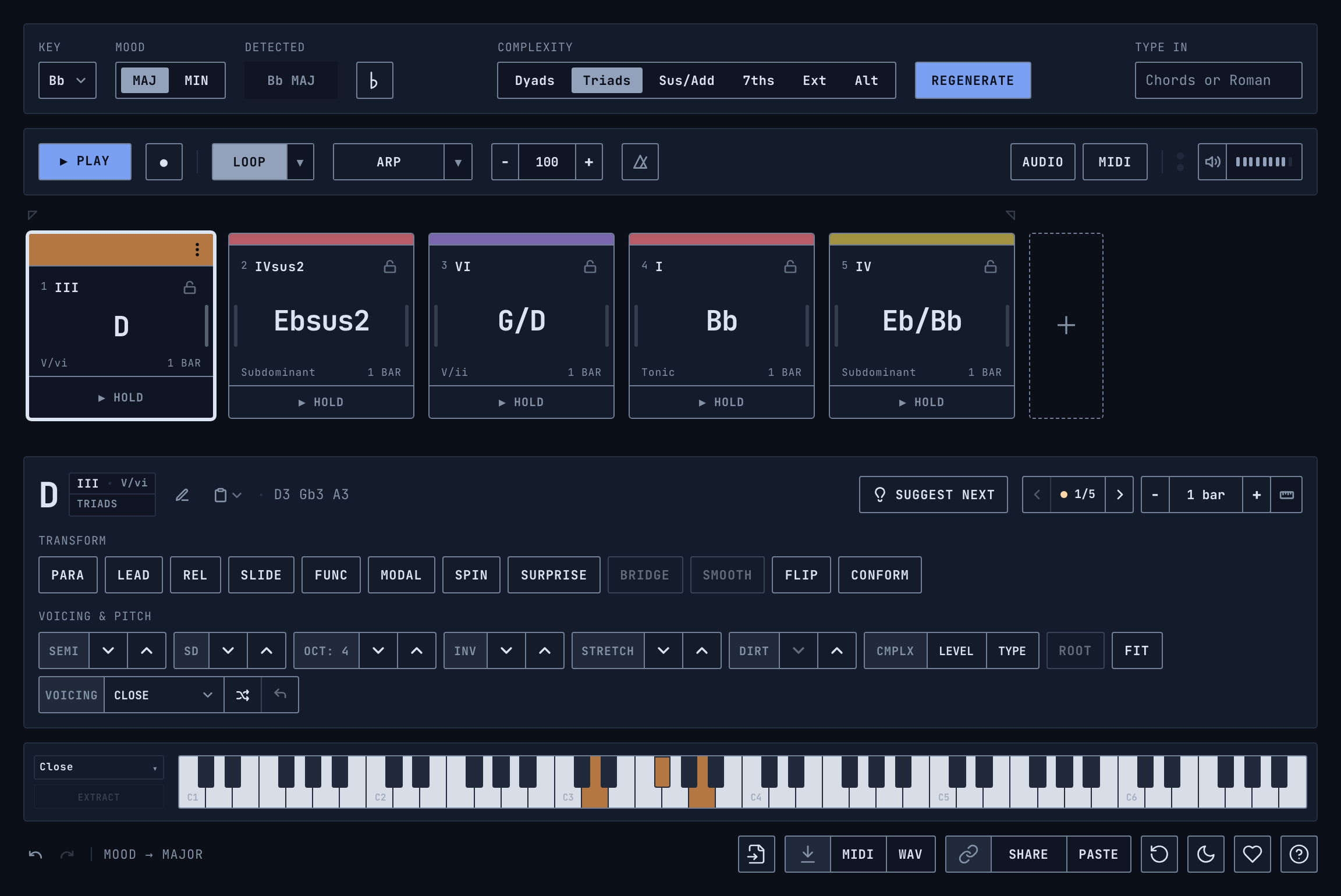
The interface looks dense at first. It rewards ten minutes - every control has a tooltip, and the same text is collected in the in-app help and the online manual, so nothing stays cryptic for long.
We built Midiocre for ourselves, to close the gap other tools left in our own workflow, then decided to share it, in case it’s useful to someone else too.
macOS, Windows and web are available now. Mobile will be hopefully live soon.
Midiocre is built with heart, soul and sweat, and it is free to use, so if you get something good out of it, consider buying us a coffee.
If you can’t tip, playing our game Ice Bot helps just as much.
Download macOS (Mac App Store) Download macOS (.dmg) Download Windows (.exe) Open Web App Documentation
The Windows build isn't code-signed yet, so Windows SmartScreen will warn you on first run - click More info, then Run anyway. We're working on it.
Subscribe to get notified about our upcoming freebies ❤️